Tuning your bass guitar (TUNER)
- Press the [É] and [Ç] switches at the same time.
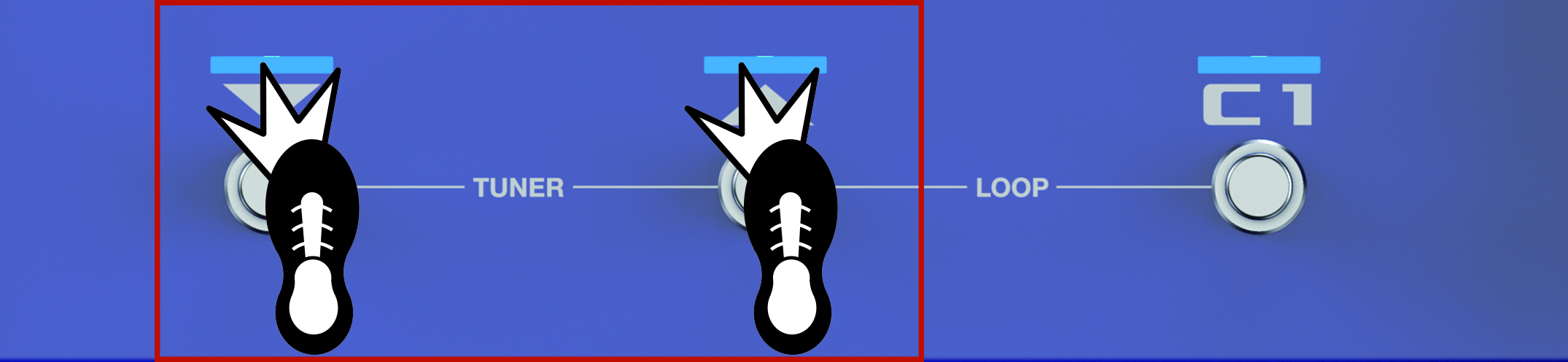
MEMO
- You can also start the tuner from the play screen by pressing the [å] button several times.
- Ó“About the play screen”
- With the factory settings, you can move the expression pedal to minimum setting to start the tuner. See “Footswitch and expression pedal settings” for how to assign a different function.
- Play an open string, and tune the string so that only the indicator in the center of the screen lights up.
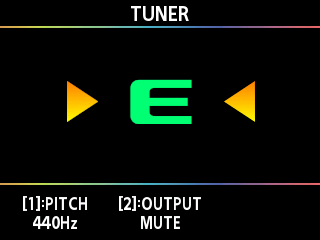
MEMO
You can also tune while checking the effect button indicators.
- To finish tuning, press the [É] [Ç] switches simultaneously again.
MEMO
You can also finish tuning by pressing either the [É], [Ç] or [C1] switches, or by pressing the [EXIT] button.
Changing the reference pitch
When you turn the [1] knob while on the tuner screen, you can change the reference pitch of the tuner.
Parameter | Value |
|---|---|
PITCH | 435–445 Hz (default: 440 Hz) |
Output settings
When you turn the [2] knob while on the tuner screen, you can change the settings for the output while using the tuner.
Parameter | Value | Explanation |
|---|---|---|
TUNER OUTPUT | MUTE | Sound will not be output while tuning. |
BYPASS | While tuning, the sound of the bass guitar being input to the GX-1B will be output without change. All effects will be off. | |
THRU | Lets you tune while outputting the current effect sound. |