Copying/exchanging layer settings (LAYER COPY)
You can copy or exchange the layer settings to or with another pad (the triggers such as the head, rim and so on).
- Access the INSTRUMENT screen.
- Hold down the [SHIFT] button and press the [F6] (LAYER COPY) button.
- The LAYER COPY window appears.
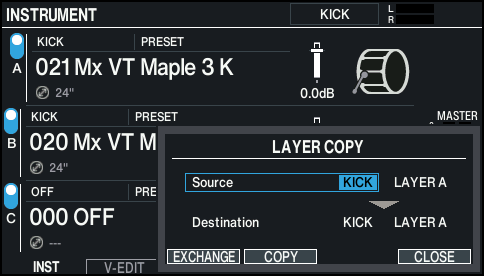
- Use the cursor buttons and the dial to configure the copy/exchange settings.
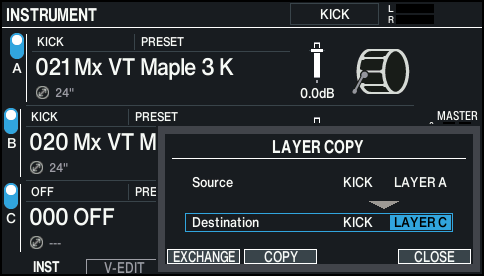
- To copy, press the [F4] (COPY) button; and to exchange, press the [F3] (EXCHANGE) button.
- A confirmation message appears.
- Example: copying settings
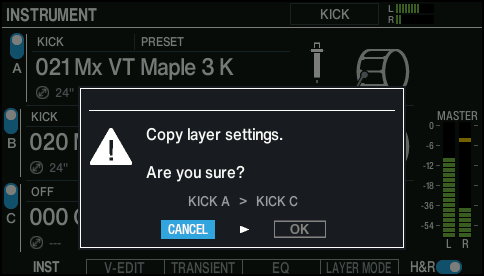
- If you decide to cancel, select “CANCEL” and press the [ENTER] button.
- Select “OK” and press the [ENTER] button.
- The layer is copied or exchanged.