Configuring the strainer
Operate the strainer (throw-off) lever on the PD-14DSX to “attach” the snare wires to the snare (bottom side; ON) or to “detach” them (OFF) for a specific snare sound.
The volume of the operating sound changes according to how fast you operate the lever. Aside from the snare wire operation, you can also assign functions to the strainer for controlling effects and so on.
You can assign a variety of functions to the strainer, such as turning the strainer knob to adjust the tension of the snare wires, or pressing the knob to play or stop a song.
ØFor details on the parameters that can be edited, refer to “Data List” (Roland website).
- Select “STRAINER” on the KIT OTHERS screen, and then press the [ENTER] button.
- Press the function buttons to access the respective settings screens.

Screen
Explanation
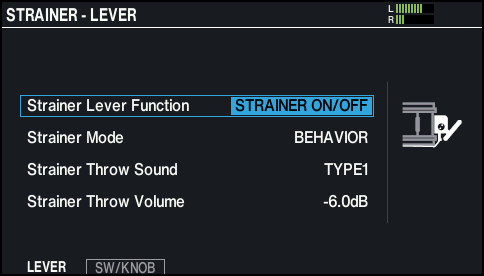
STRAINER - LEVER screen
Configures the settings for operating the strainer lever.
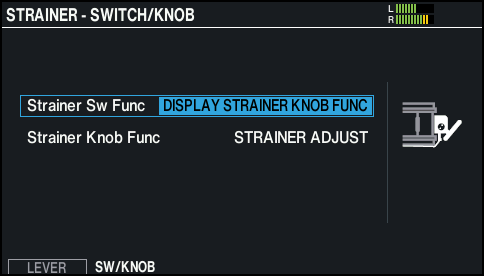
STRAINER - SWITCH/KNOB screen
Configures the settings for operating the strainer knob.
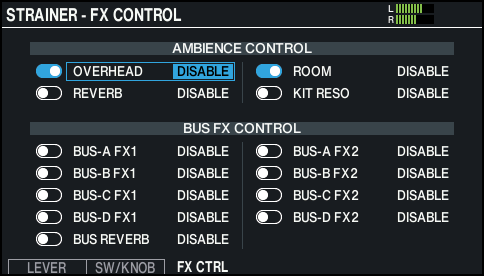
STRAINER - FX CONTROL screen
Configures the effect that’s assigned for controlling effects using the strainer lever (FX CONTROL).
- Use the cursor buttons to select a parameter, and use the [-] [+] buttons or the dial to edit the value.
- Press the [KIT] button to return to the KIT screen.