Setting the colors for the buttons and dial (KIT COLOR)
You can change the [KIT] button, dial and strainer indicator LED colors for each drum kit.
This helps to distinguish between drum kits. For example, you could assign different colors to drum kits of different genres, or use the color as a guide when editing instruments.
- Select “KIT COLOR” on the KIT OTHERS screen, and then press the [ENTER] button.
- The KIT COLOR screen appears.
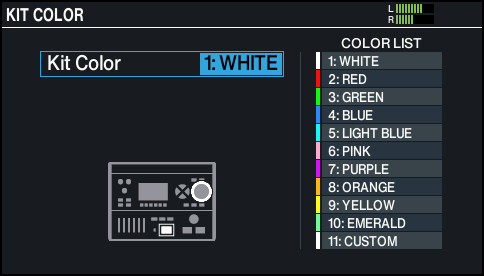
- Use the dial to select the LED color.
MEMO
Select “11:CUSTOM” to adjust the RGB values for setting a custom LED color.
- Press the [KIT] button to return to the KIT screen.