Making detailed trigger settings
Because the following settings are automatically set to the appropriate values for each pad when you specify the trigger type, there is normally no need for you to edit them.
You only need to make these settings when you want finer control over the pad signal detection, strike point detection and so on.
ØFor details on the parameters that can be edited, refer to “Data List” (Roland website).
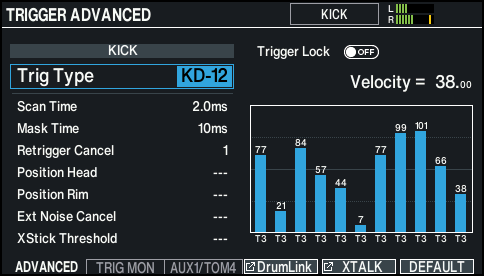
- On the TRIGGER - BANK screen, press the [F5] (ADVANCED) button.
- The TRIGGER ADVANCED screen appears.
- Select the pad to configure.
- Ø “Selecting the pad to set”
- Use the cursor buttons to select a parameter, and use the dial to edit the value.
MEMO
To return to the default values, press the [F6] (DEFAULT) button.
Trigger parameters (with the exception of certain parameters such as cross-stick cancel) are set to the default value.
For details, refer to “Data List” (Roland website).