Pairing
This shows you how to pair a WT-10 to which a cymbal is connected, with a DH-10 connected to the V51.
- On the TRIGGER - ADVANCED screen, press the [F4] (DrumLink) button.
- Press the [F1] (HUB) button.
- The DrumLink - HUB screen appears.
- Press the [F5] (PAIRING) button.
- Pairing mode turns on.
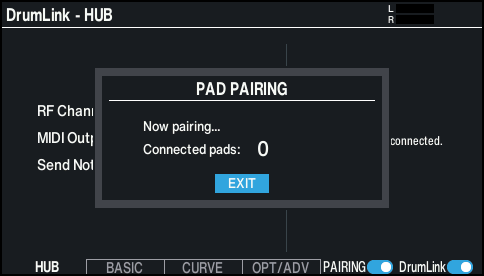
MEMO
- Once it is turned on, the pairing mode turns off after 15 seconds.
- Strike the cymbal once.
MEMO
- When pairing, use a stick and strike the drum or cymbal fairly hard. Also, when pairing with a cymbal, strike the edge to make pairing easier, as the sensitivity is greater.
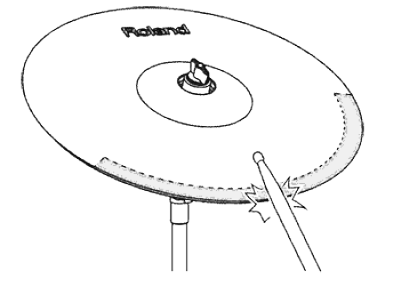
- Pairing begins.
- The pad image on the right side of the DrumLink - HUB screen (default settings: PDX-8 drum pad) is shown when the V51 is paired with the pad (cymbal).
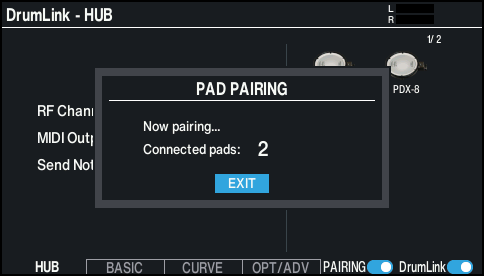
- To access the pad settings screen after pairing, press the [EXIT] button and then one of the [F2] (BASIC)–[F4] (OPT/ADV) buttons.
NOTE
The parameters for each pad are not stored on the V51, but are stored in the WT-10 (Wireless Trigger Adapter). Note that just changing a parameter does not apply the setting to the WT-10. You must strike the applicable pad to apply the setting.
MEMO
- Once paired, the pairing information for each WT-10 (Wireless Trigger Adapter) is saved on the DH-10 (DrumLink Hub). The units automatically pair when you restart the V51 or connect the DrumLink™ hub to a different V51, so there’s no need to pair manually.
- Although pairing is not necessary after restarting this unit, you must strike the pad you want to set once to make it show up on the pad settings screen.
- The V51 supports connections of up to 12 pads.