Preventing accidental operation of the buttons (safety mode)
You can disable the buttons to prevent them from being accidentally operated (safety mode).
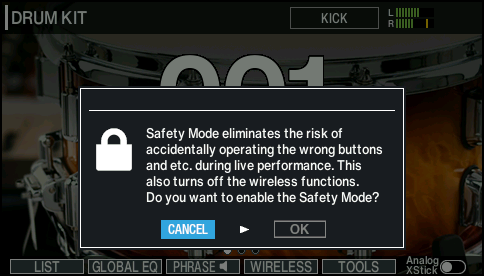
This disables any functions other than the specific functions you use when playing live. This also disables wireless functionality (Wi-Fi, Bluetooth).
- On the KIT screen, press the [F5] (TOOLS) button.
- You can also skip to step 3 by pressing the [KIT] button while holding down the [SHIFT] button.
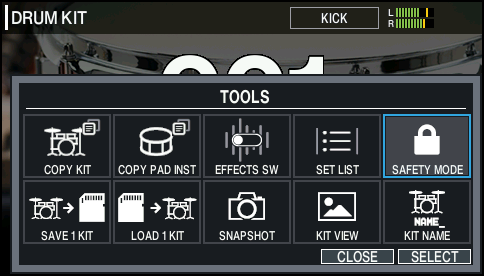
- Use the cursor buttons to select “SAFETY MODE”, and press the [ENTER] button.
- Use the cursor buttons to select “OK”, and press the [ENTER] button.
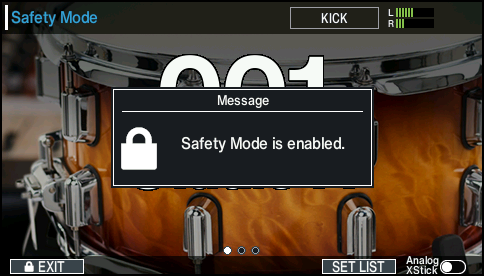
- The following screen appears when safety mode is on.