Updating
- Start up the V71.
- A pop-up message notifies you on startup if a new update is available, when the unit is connected to Wi-Fi.
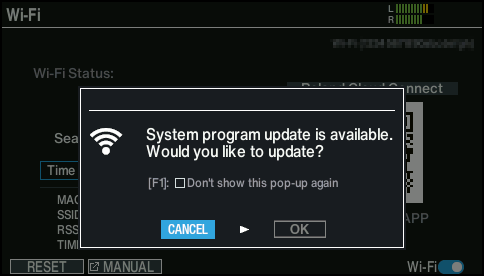
- If you want to view the update contents, use the cursor buttons to select “OK”, and press the [ENTER] button.
- The new version number is shown.
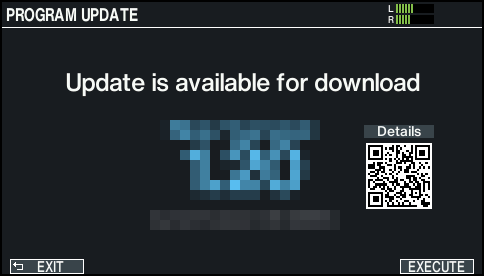
- To view the update contents, scan the 2D code shown on the screen and check the linked information.
- If you decide to cancel, press the [F1] (EXIT) button.
- Press the [F6] (EXECUTE) button.
- A confirmation message appears.
- If you decide to cancel, select “CANCEL” and press the [ENTER] button.
- * Select “OK” to start downloading the new program. It may take 15 minutes or more for the download and update process to finish.
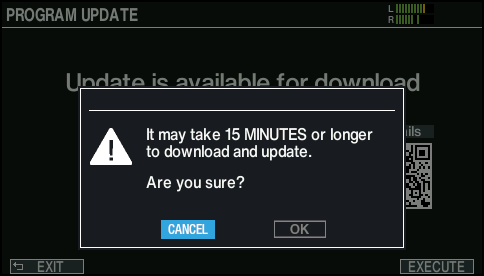
- Select “OK” and press the [ENTER] button.
- The update starts to download.
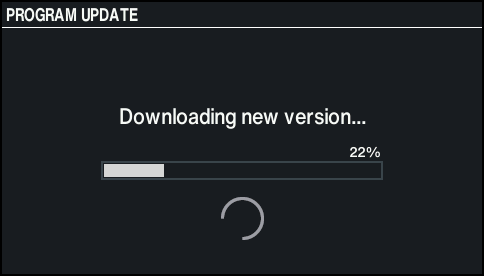
- The screen changes to the one shown below when the download is completed.
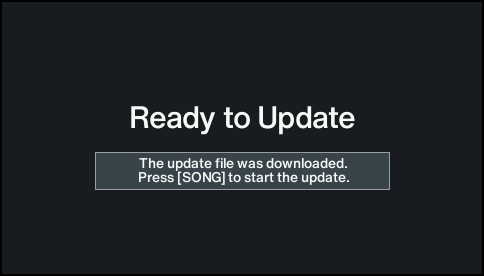
- Press the [SONG] button.
- The update begins.
- Wait until the update is finished.