Follow the steps below if the SP-404MK2 isn’t automatically detected by Melodics.
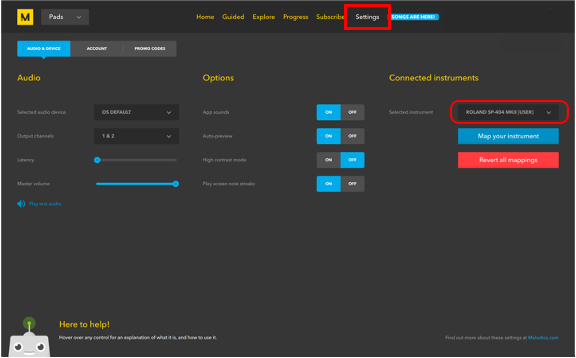
- Open the “Settings” page in the Melodics app.
Click “Connected Instruments” and select “ROLAND SP-404MKII”.
Follow the steps below if the SP-404MK2 isn’t automatically detected by Melodics.
Click “Connected Instruments” and select “ROLAND SP-404MKII”.