Using set lists
Selecting the set lists
- On the KIT screen, press the [F5] (TOOLS) button.
- Use the cursor buttons or the dial to select “SET LIST”, and press the [F6] (SELECT) button.
- The SET LIST screen appears, and set list turns on.
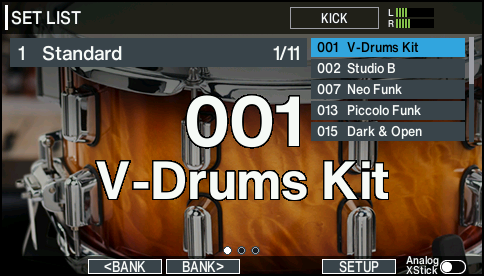
- Press the [F2] (çBANK) button or [F3] (BANKæ) button to select the set list that you want to use.
Switching between drum kits
- Use the dial to recall the drum kits in the order of the steps you specified.
- When you’ve finished playing, press the [KIT] button or the [EXIT] button.
- The set list function turns off.