Here’s how to set the type of amp that’s connected to the OUTPUT (A/MONO, B) jacks. This lets you calibrate the sound to give you the optimal sound for that amp.
- Turn off the power (unplug the cable from the INPUT jack).
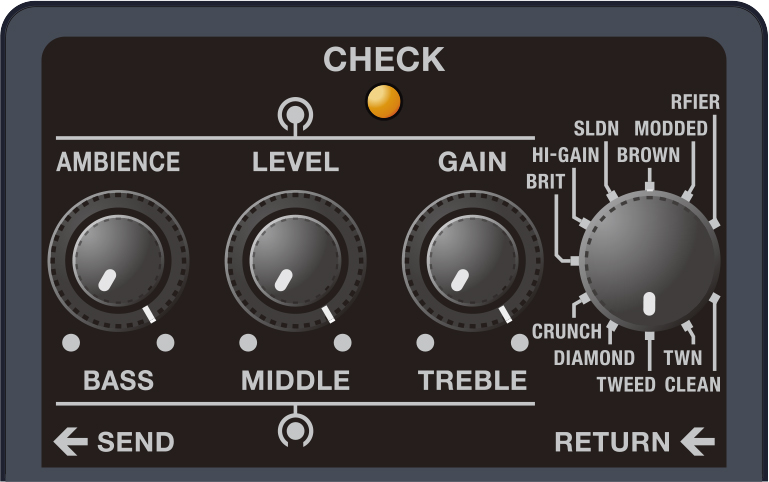
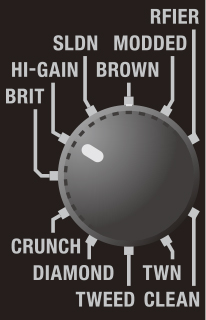
- Set the type knob to “TWEED”.
Turn the [AMBIENCE], [LEVEL] and [GAIN] knobs all the way counterclockwise, and turn the [BASS], [MIDDLE] and [TREBLE] knobs all the way clockwise.
While holding down the pedal switch, turn on the power by inserting a plug into the INPUT jack.
After the CHECK indicator lights up green, it cycles between blinking orange three times and staying lit.
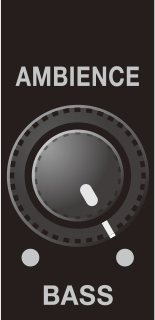
Use the type knob and the [AMBIENCE] knob to select the type of amp that’s connected.
Type knob
[AMBIENCE] knob Explanation
CLEAN
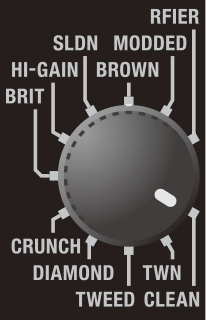
Turn all the way counterclockwise
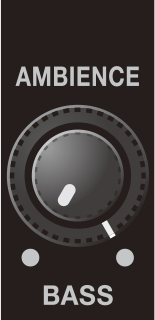
LINE:
Use this setting when connecting to a PC audio interface, keyboard amp, mixer, or digital recorder.
- This is the factory setting.
TWN
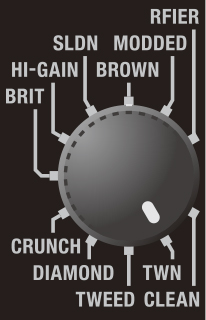
Turn all the way counterclockwise
JC-120 RETURN:
Use this setting when connecting to the RETURN jack of the Roland JC-120 guitar amp.
TWEED
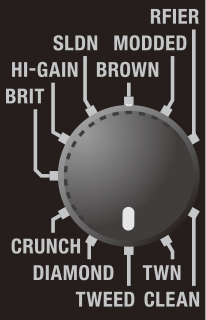
Turn all the way counterclockwise
JC-120 INPUT:
Use this setting when connecting to the guitar input of a JC-120 guitar amp.
DIAMOND
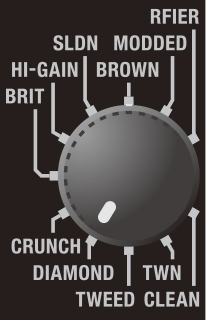
Turn all the way counterclockwise
KATANA-100 RETURN:
Use this setting when connecting to the RETURN jack of a BOSS KATANA-100 guitar amp.CRUNCH
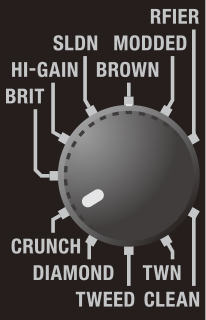
Turn all the way counterclockwise
KATANA-100 INPUT:
Use this setting when connecting to the INPUT jack of a BOSS KATANA-100 guitar amp.BRIT
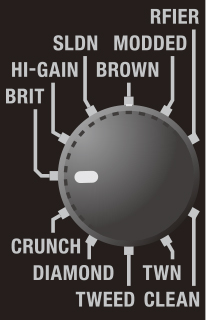
Turn all the way counterclockwise
NEXTONE Artist RETURN:
Use this setting when connecting to the RETURN jack of a BOSS NEXTONE Artist guitar amp.The sound is calibrated according to the characteristics when the POWER AMP SELECT switch is set to EL34.
HI-GAIN
Turn all the way counterclockwise
NEXTONE Artist INPUT:
Use this setting when connecting to the INPUT jack of a BOSS NEXTONE Artist guitar amp.
The sound is calibrated according to the characteristics when the POWER AMP SELECT switch is set to EL34.CLEAN
All the way clockwise
TUBE COMBO 112 RETURN: Use this setting when connecting to the RETURN jack of a vacuum tube combo amp (in which the amp and speakers are in a single unit) equipped with one 12-inch speaker.
TWN
All the way clockwise
TUBE COMBO 112 INPUT:
Use this setting when connecting to the INPUT jack of a vacuum tube combo amp (in which the amp and speakers are in a single unit) equipped with one 12-inch speaker.
TWEED
All the way clockwise
TUBE COMBO 212 RETURN:
Use this setting when connecting to the RETURN jack of a vacuum tube combo amp (in which the amp and speakers are in a single unit) equipped with two 12-inch speakers.
DIAMOND
All the way clockwise
TUBE COMBO 212 INPUT:
Use this setting when connecting to the INPUT jack of a vacuum tube combo amp (in which the amp and speakers are in a single unit) equipped with two 12-inch speakers.
CRUNCH
All the way clockwise
TUBE STACK 412 RETURN:
Use the setting when connecting to the RETURN jack of a vacuum tube guitar amp stack (in which the amp and speaker are separate units).
This assumes that the connected speaker cabinet is equipped with four 12-inch speakers.BRIT
All the way clockwise
TUBE STACK 412 INPUT: Use the setting when connecting to the INPUT jack of a vacuum tube guitar amp stack (in which the amp and speaker are separate units).
This assumes that the connected speaker cabinet is equipped with four 12-inch speakers.- You can’t use separate settings for the OUTPUT A (MONO) and OUTPUT B jacks.
- When a pair of headphones is connected to the PHONES jack, the LINE setting is used, regardless of the type knob and [AMBIENCE] knob settings.
- When connecting to a PA system onstage, use monitor speakers or in-ear monitors to check the sound.
Press the pedal switch.
The CHECK indicator rapidly blinks red, and the settings are saved.
You can play normally with this unit after around two to three seconds.